In this article, we introduce how to deposit and withdraw using GCash at LuckyKing (Luckystarz), a popular online casino in the Philippines holding a PAGCOR license.
We have summarized everything you need to know, including how to deposit into your LuckyKing account, how to withdraw your winnings, and how to cash in (charge) your GCash app.
Furthermore, we are currently running a campaign where you can receive a special bonus via GCash! If you send our bonus code to our official Messenger, we will introduce you to our recommended online casinos. By meeting certain conditions there, we will send ₱100 directly to your GCash!
| How to Use GCash at LuckKing▼ | GCash Deposit Information▼ |
| LuckKing Bonus Information▼ | Important Notes About Using GCash ▼ |
LuckyKing (Luckystarz) Online Casino in the Philippines Now Supports GCash
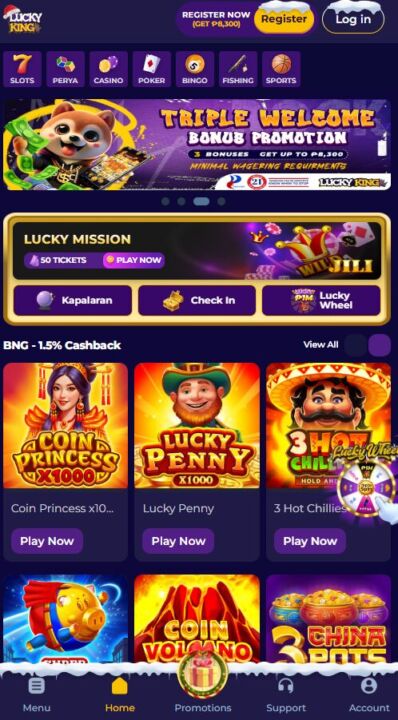
Using GCash at LuckyKing is highly recommended! You can make a minimum deposit starting from just ₱100, and the funds will be reflected instantly. Don’t miss this chance to sign up as a new player at this PAGCOR-licensed online casino!
LuckyKing (Luckystarz) Casino Philippines: Overview of GCash Deposits and Withdrawals
At LuckyKing, GCash can be used for both deposits and withdrawals. The deposit and withdrawal amounts are listed in the table below for your reference.
| Minimum Deposit | ₱100 |
| Maximum Deposit | ₱50,000 |
| Minimum Withdrawal | ** |
| Maximum Withdrawal | ** |
| Processing Time | Instant |
| Transaction Fee | ₱0 |
| Glife | Access prohibited as mandated by BSP |
Keep in mind that in some cases the first deposit is ₱500.
Step-by-Step Guide to Using GCash at LuckyKing (Luckystarz) Casino
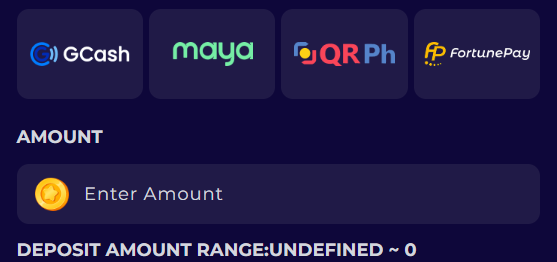
If you want to deposit and withdraw using GCash at LuckyKing, please follow the instructions below. You can also find detailed information about Glife. We hope you find this helpful.
【Deposit】Step-by-Step Guide to Depositing with GCash at LuckyKing Casino
You can easily make a deposit at LuckyKing by following these steps:
- Log in to your LuckyKing account. (https://luckyking.com.ph/)
- Click on “Deposit” in the menu.
- Select GCash as the payment method.
- Enter the deposit amount.
- Click the “Submit” button.
【Withdrawal】Withdrawing Funds from LuckyKing Using GCash
Please follow the steps below to complete your withdrawal at LuckyKing:
- Log in to your LuckyKing account. (https://luckyking.com.ph/)
- Click “Withdrawal” from the “Profile” menu.
- Select GCash as the payment method.
- Enter the amount you wish to withdraw.
- Follow the on-screen instructions to complete your withdrawal.
【Glife】LuckyKing Glife Updates: What’s New
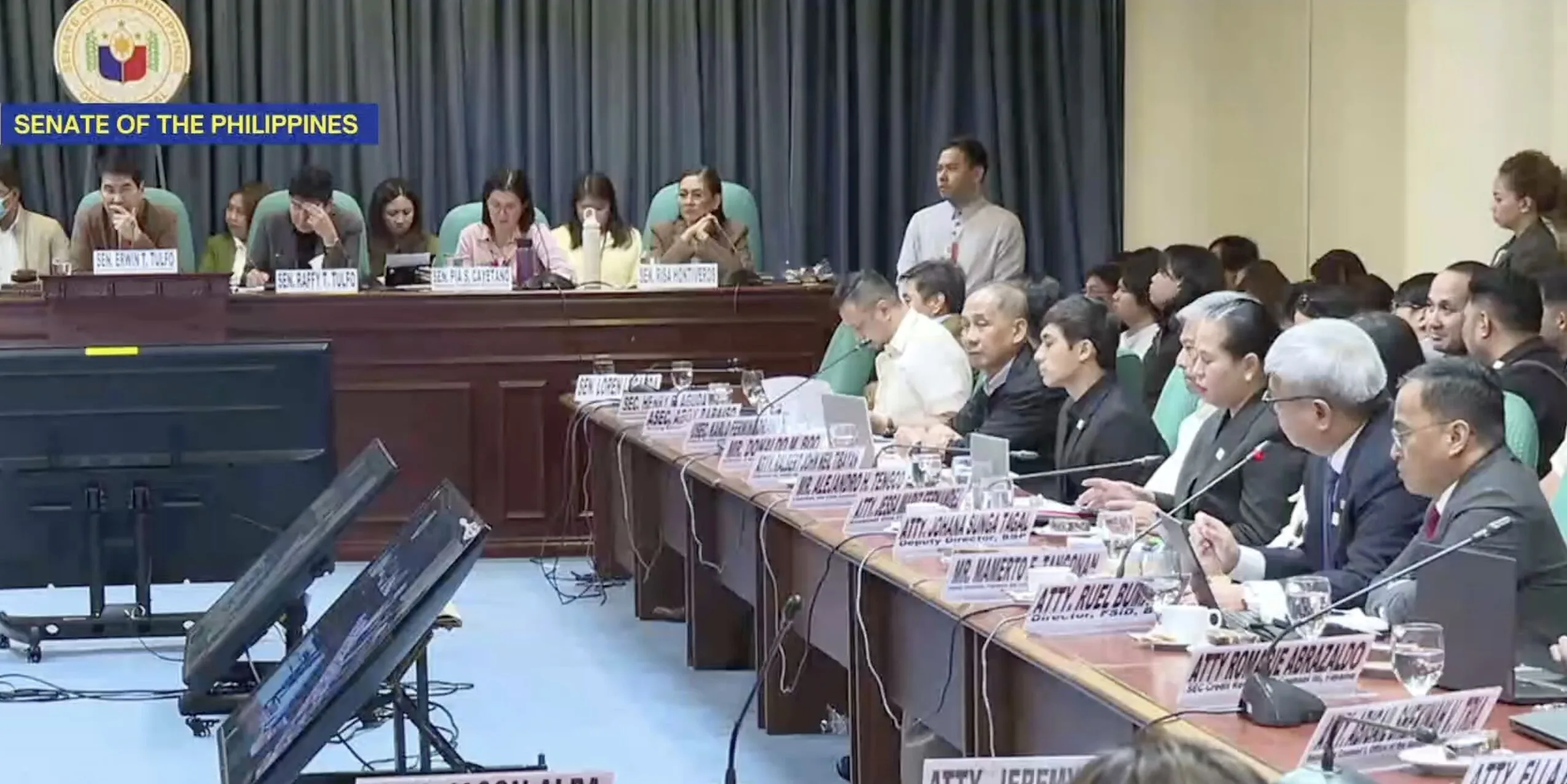
Due to measures implemented by the BSP, it has become impossible to access all online casinos, including LuckyKing, through GCash (via GLife).
In practice, the route from Games to Casino has been removed, as shown in the image.
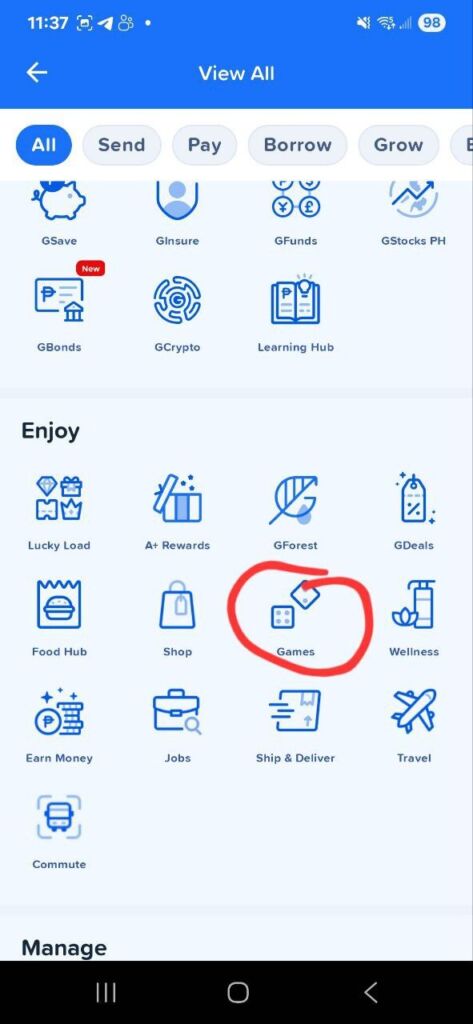
If you would like to learn more about the BSP’s measures regarding GCash and other e-wallets, check out the article below.
Deposit Information for Using GCash
To deposit at LuckyKing using GCash, you first need to fund your GCash app.
Here, we have summarized the main deposit methods for your reference.
| Payment Methods | Minimum Deposit | Maximum Deposit | Fee |
|---|---|---|---|
| 7-Eleven | ** | Depends on your GCash Account | 1% fee |
| Alfamart | ** | Depends on your GCash Account | 2% fee |
| BPI | ₱1 | Depends on your GCash Account | PHP 10 |
| UnionBank | ** | ₱100,000 | PHP 5 |
GCash Top-Up at 7-Eleven
Deposits to GCash can be made at 7-Eleven stores.
The minimum deposit amount is not officially specified, while the maximum deposit depends on your GCash account’s limit.
A 1% service fee is charged for each deposit.
Adding Funds to GCash via Alfamart
Deposits to GCash can also be made at Alfamart.
The minimum deposit amount is not officially specified, and the maximum amount depends on your GCash account limits.
A 2% service fee applies to each deposit.
Deposit to GCash with BPI Made Easy
You can deposit money to GCash through BPI.
The minimum deposit amount starts at just ₱1, while the maximum depends on your GCash account limit.
Each deposit is subject to a ₱10 fee.
Top Up Your GCash Account Using UnionBank
You can deposit to GCash through UnionBank.
The minimum deposit amount is not officially specified. The maximum deposit is ₱100,000.
A ₱5 fee applies to each deposit.
Deposit to GCash Using Other Methods
You can deposit money into GCash through various channels, including online banks, over-the-counter outlets, and traditional banks. Here are some of the common methods:
・PayPal
・InstaPay
・PESONet
・GCash Pera Outlet
・The SM Store
In addition to the methods listed above, there are other ways to deposit funds into your GCash account. Because of its simple and convenient deposit process, GCash is a highly recommended mobile wallet.
Looking for other trusted casinos where you can use GCash?Don’t miss our complete list of top-rated GCash online casinos in the Philippines.

【LuckyKing Bonus】Deposit Real Money with GCash and Get Up to ₱8,300
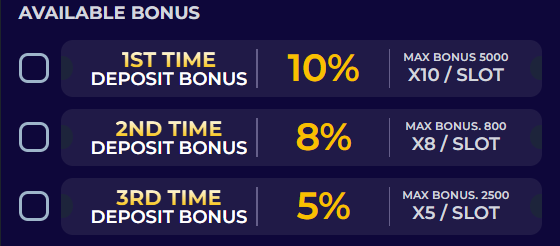
LuckyKing is offering the Triple Welcome Bonus of up to ₱8,300 on your first deposit!
Other bonuses include the Lucky Wheel Promotion and the Consecutive Check-in Bonus, which you can earn by logging in consecutively.
Please see the bonus details below and take advantage of these offers!
| Bonus Name and Amount | Summary |
|---|---|
| Triple Welcome Bonus | Bonus: up to ₱8,300 Wagering Requirement: 5x-10x How to Get: Applicable to the first three deposits. |
| Lucky Wheel Promotion | Bonus: Between ₱2 and ₱1,000,000 Wagering Requirement: 0x How to Get: Use Lucky Wheel tickets. You can get tickets by logging in consecutively or by placing a certain amount of bets on each game. |
| Consecutive Check In Bonus | Bonus: 120 tickets Wagering Requirement: 0x How to Get: Make deposits and wagers at least ₱100, and log in daily |
| VIP Promotion | Bonus: 0.3% Cashback-1.0% Cashback Wagering Requirement: 0x How to Get: The rewards vary depending on your VIP status.VIP status changes twice a month based on the amount you wager. |
| Refer Friends | Bonus: ₱100 Wagering Requirement: 5x How to Get: Once your invited friend places a minimum of ₱2,000 in wagers and completes KYC verification |
| Daily Cashback | Bonus: 0.3% Cashback-1.0% Cashback Wagering Requirement: 0x How to Get: Cashback is calculated based on valid bets placed from 00:00 to 23:59 and will be paid at 1 PM the following day. |
| Lucky Mission | Bonus: up to 50 tickets Wagering Requirement: 0x How to Get: complete 5 wagering stages to earn Lucky Wheel ticktes |
Claim Our Exclusive ₱100 Bonus Directly via GCash
Now is your chance to get a ₱100 bonus directly via GCash!
Currently, we are introducing recommended online casinos to those who send the bonus code “free100” to our official Messenger.
By completing the required steps, such as registering or making a deposit at that casino, ₱100 will be sent directly to your GCash! This is an exclusive bonus from our site, so don’t miss out!
Important Notes About Using GCash at LuckyKing (Luckystarz)
Using GCash on LuckyKing is a very safe and smooth way to enhance your gameplay.
However, there are a few things to keep in mind, so be sure to review the following before you start playing.
Connect GCash with LuckyKing for Deposits and Withdrawals
If you want to deposit or withdraw using GCash at LuckyKing, make sure to link your GCash account first.
Don’t forget to connect your accounts before you start playing!
Make Sure You Take Full Advantage of the Bonus When Making Your Deposit!
If you are making your first deposit at LuckyKing, be sure to select the first deposit bonus. If you do not choose the bonus on the deposit screen, you might not be able to use it. So, don’t forget to select the first deposit bonus.
Be Careful Not to Make Too Many Deposits Using GCash.
If you deposit too much into online casinos with GCash, you may reach the deposit limit set by GCash’s account terms and conditions. Once that happens, you might not be able to use GCash for daily transactions. Therefore, please be careful not to deposit excessively.
Frequently Asked Questions about LuckyKing (Luckystarz) GCash
Please refer to the following for LuckyKing’s frequently asked questions.
What is the minimum deposit amount at LuckyKing?
The minimum deposit at LuckyKing is ₱100. However, this amount may change, so we recommend checking the official website regularly for the latest information.
How quickly are deposits reflected at LuckyKing?
Deposits at LuckyKing are usually reflected immediately. However, if the deposit amount is large, it may take longer to process.
Is LuckyKing licensed by PAGCOR?
Yes, LuckyKing is licensed by PAGCOR. This means you can safely enjoy online casino games and confidently make deposits using GCash.
Is it possible to access LuckyKing via Glife?
It is currently impossible to access LuckyKing via Glife. However, GCash is still highly recommended as a payment method when playing at LuckyKing.
I made a deposit at LuckyKing, but it hasn’t appeared in my account. What should I do?
LuckyKing offers Live Support. If you have made a deposit but it is not showing in your account, we recommend contacting their Live Support to resolve the issue.
Want to learn more about LuckyKing beyond GCash features?
【Conclusion】LuckyKing (Luckystarz) with GCash – Final Overview: How to Deposit, Withdraw, and Claim Bonuses
In this article, we have explained in detail how to deposit & withdraw using GCash on your LuckyKing (Luckystarz) account.
The process is very simple: just follow the on-screen instructions, select your payment method and the amount, and complete the transaction. Please note that you need to cash in money to your GCash app before making a deposit.
LuckyKing is a PAGCOR-licensed online casino that allows smooth transactions via GCash, making it a great choice for beginners.
Also, don’t forget our exclusive campaign where you can get a bonus via GCash! Send the bonus code to our official Messenger, and we will guide you to a recommended online casino. If you meet the specific requirements, we will send ₱100 directly to your GCash!
UPDATE HISTORY
・02.02.2026: Updated bonus information
・12.05.2025: Updated article structure
・10.03.2025: Updated bonus and payment methods

Publish date: 02.02.2026
Update date: 02.02.2026
Tags:
Related Posts
- LuckyKing (Luckystarz.ph) Review: A Legit PAGCOR Online Casino? App Download & GCash/Maya Guide


- Does LuckyKing (Luckystarz) Have a Free Bonus? Special Guide to Get ₱100 with No Wagering Requirements!
- Is Playtime Legit? Review & PAGCOR License Check: How to Avoid Scam and Download App Safely

- Check Casino Plus Voucher Code Today 2026 Philippines – Legit PAGCOR Casino Review with FAQ, Scam Guide and App Info